카카오 API를 활용하면 암호화폐 거래나 주식 매매 시 카카오톡으로 관련 메시지를 자동 전송할 수 있다.
절차는 다음과 같다. 우선 카카오에서 제공하는 공식 개발자 포털인 카카오 디벨로퍼스 에 접속해서 앱을 생성한다.
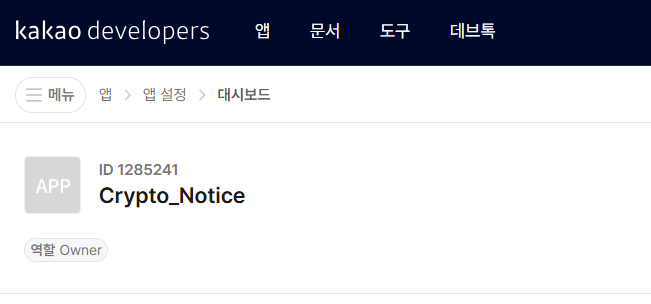
생성한 앱을 클릭하면 화면 하단에 설정 항목이 나온다.
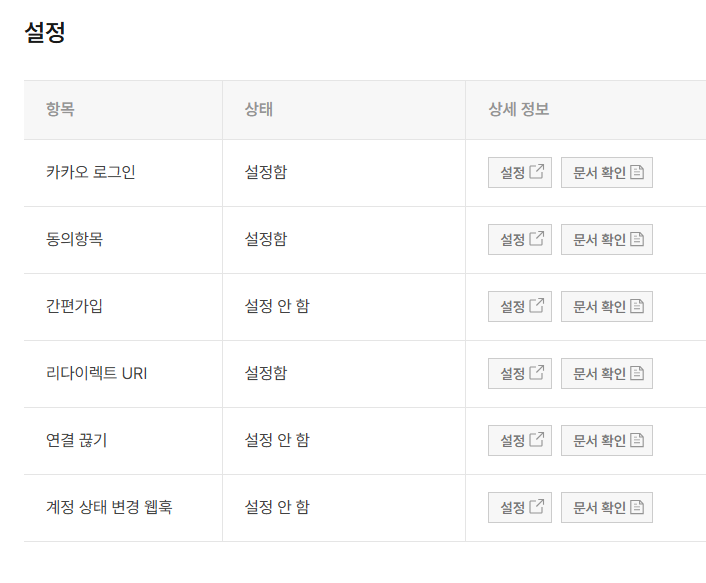
카카오로그인 설정에서 다음과 같이 상태를 ON으로 변경한다.
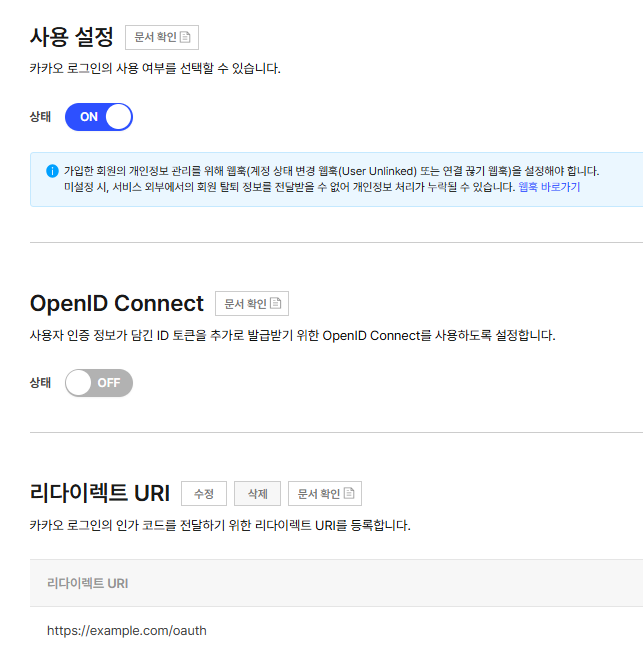
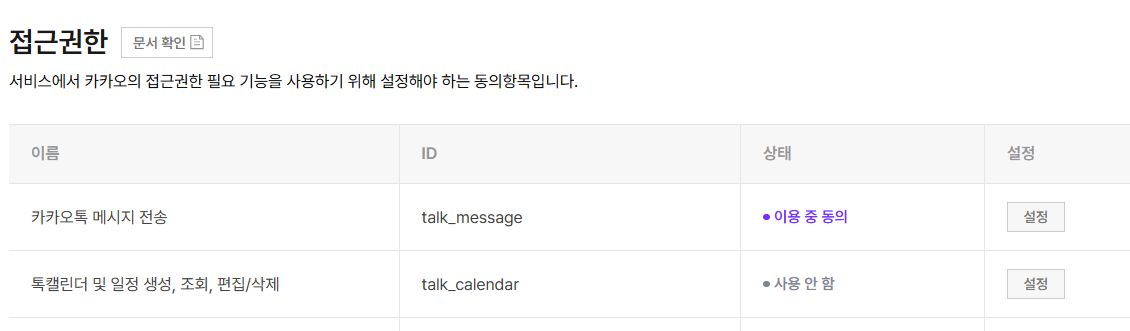
여기서 리다이렉트URI는 https://example.com/oauth 로 설정한다. 동의항목에서는 접근권한을 설정한다.
이제 REST API 키를 발급받아야 한다. 왼쪽 메뉴에서 앱설정 -> 앱 -> 일반 클릭하면 다양한 키를 확인할 수 있다. 이 중 REST API 키 옆의 "복사" 버튼 클릭하여 .env 파일에 저장헤 둔다.
kakao_rest_api_key=your_rest_api_key
REST API 키를 발급받았다면 이제 인증 코드(auth_code)를 받아야 한다. 이 코드는 최초 1회만 발급받으면 되고, 이후에는 자동으로 토큰이 갱신된다.
브라우저 주소창에 다음 URL을 입력한다. 여기서 YOUR_REST_API_KEY 부분을 실제 발급받은 REST API 키로 교체한다.
https://kauth.kakao.com/oauth/authorize?client_id=YOUR_REST_API_KEY&redirect_uri=https://example.com/oauth&response_type=code&scope=talk_message
URL에 접속하면 카카오 로그인 화면이 나타난다. 카카오계정으로 로그인하면 권한 동의 화면이 나타나는데, 여기서 "카카오톡 메시지 전송" 권한에 동의하고 "동의하고 계속하기" 버튼을 클릭한다. 권한 동의가 완료되면 브라우저가 자동으로 다음과 같은 주소로 이동한다.
https://example.com/oauth?code=인증코드값
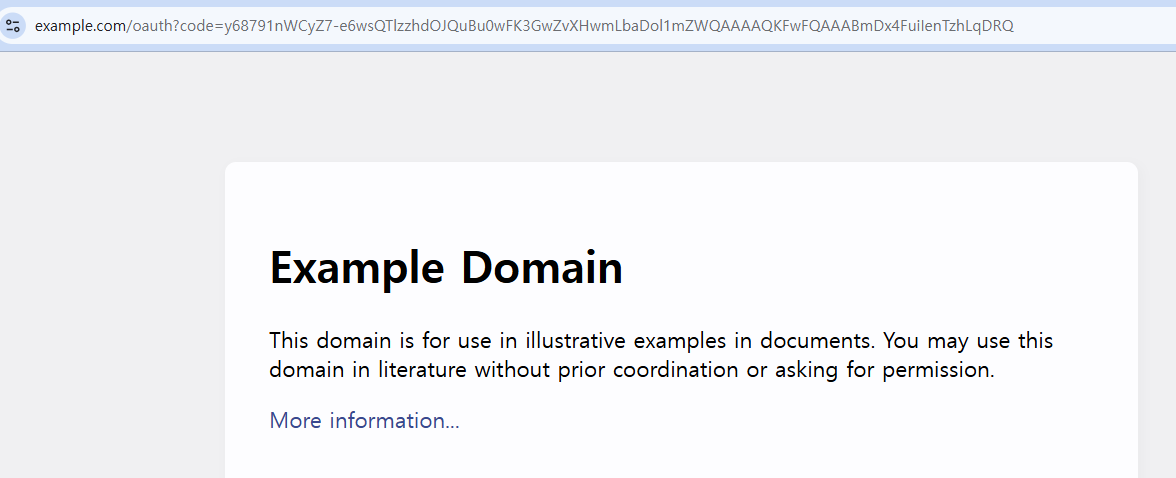
여기서 code= 뒤에 나오는 긴 문자열이 바로 kakao_auth_code이다. 이 값을 복사해서 .env 파일에 저장한다.
인증 코드는 발급받은 후 10분 내에 사용해야 하며, 일회용이므로 한 번 사용하면 만료된다. 그리고 다음 코드를 실행한다.
import requests
import json
import os
from datetime import datetime, timedelta
from dotenv import load_dotenv

class KakaoNotifier:
    def __init__(self, rest_api_key: str, auth_code: str = None):
        self.rest_api_key = rest_api_key
        self.auth_code = auth_code
        self.redirect_uri = 'https://example.com/oauth'
        self.token_file = "kakao_access_token_data.json"
        self.send_url = "https://kapi.kakao.com/v2/api/talk/memo/default/send"
        self.token_info = {}

        print(f"초기화: API키={rest_api_key[:10]}..., 인증코드={'있음' if auth_code else '없음'}")

        if os.path.exists(self.token_file):
            print("기존 토큰 파일 발견, 로드 중...")
            self.load_token()
        elif self.auth_code:
            print("토큰 파일이 없음. 새로 발급 중...")
            self.get_access_token()
        else:
            print("토큰, auth_code 모두 없음")

    def get_access_token(self):
        URL = 'https://kauth.kakao.com/oauth/token'

        data = {
            'grant_type': 'authorization_code',
            'client_id': self.rest_api_key,
            'redirect_uri': self.redirect_uri,
            'code': self.auth_code
        }

        try:
            print("카카오 서버에 토큰 요청 중...")
            res = requests.post(URL, data=data)
            print(f"응답 상태: {res.status_code}")

            res_json = res.json()
            print(f"응답 내용: {res_json}")

            if "access_token" not in res_json:
                print(f"토큰 발급 실패: {res_json}")
                return

            self.token_info = res_json
            # 만료 시간 추가
            self.token_info["expires_at"] = (datetime.now() + timedelta(seconds=res_json.get("expires_in", 21600))).isoformat()
            self.save_token()
            print("토큰 발급 및 저장 완료!")

        except Exception as e:
            print(f"토큰 발급 중 오류: {e}")

    def save_token(self):
        try:
            with open(self.token_file, "w", encoding='utf-8') as f:
                json.dump(self.token_info, f, indent=2, ensure_ascii=False)
        except Exception as e:
            print(f"토큰 저장 실패: {e}")

    def load_token(self):
        try:
            with open(self.token_file, "r", encoding='utf-8') as f:
                self.token_info = json.load(f)
            print("토큰 로드 완료")
        except Exception as e:
            print(f"토큰 로드 실패: {e}")
            self.token_info = {}

    def send_message(self, text: str):
        if not self.token_info.get("access_token"):
            print("유효한 액세스 토큰이 없음.")
            return False

        headers = {
            "Authorization": f"Bearer {self.token_info['access_token']}",
            "Content-Type": "application/x-www-form-urlencoded"
        }

        template = {
            "object_type": "text",
            "text": text,
            "link": {
                "web_url": "https://example.com"
            }
        }

        data = {
            "template_object": json.dumps(template, ensure_ascii=False)
        }

        try:
            print("메시지 전송 중...")
            response = requests.post(self.send_url, headers=headers, data=data)

            if response.status_code != 200:
                print(f"카카오톡 전송 실패: {response.status_code}")
                print(f"   응답: {response.text}")
                return False
            else:
                print("카카오톡 메시지 전송 완료!")
                return True

        except requests.RequestException as e:
            print(f"네트워크 오류: {e}")
            return False

if __name__ == "__main__":
    load_dotenv()
    rest_api_key = os.getenv("kakao_rest_api_key")
    auth_code = os.getenv("kakao_auth_code")

    kakao_notifier = KakaoNotifier(rest_api_key, auth_code)
    kakao_notifier.send_message("테스트 메시지! 비트코인 매수 완료!")
정상적으로 실행되면, kakao_access_token_data.json 파일이 생성되고 카카오톡으로 테스트 메시지가 발송되고 수신된다.

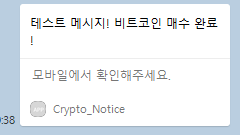
일단 토큰 파일이 생성되면 토큰 관리는 신경 쓸 필요 없고, 메시지만 보내면 된다. 따라서 다음과 같이 간단한 메시지 전송 전용 코드를 사용할 수 있다.
import requests
import json
import os
from dotenv import load_dotenv


class KakaoNotifier:
    def __init__(self, rest_api_key: str):
        self.rest_api_key = rest_api_key
        self.token_file = "kakao_access_token_data.json"
        self.send_url = "https://kapi.kakao.com/v2/api/talk/memo/default/send"
        self.token_info = self.load_token()

    def load_token(self):
        """저장된 토큰 파일 로드"""
        try:
            with open(self.token_file, "r", encoding='utf-8') as f:
                return json.load(f)
        except Exception as e:
            print(f"토큰 로드 실패: {e}")
            print("먼저 토큰을 생성해주세요!")
            return {}

    def send_message(self, text: str):
        """카카오톡 메시지 전송"""
        if not self.token_info.get("access_token"):
            print("유효한 액세스 토큰이 없습니다.")
            return False

        headers = {
            "Authorization": f"Bearer {self.token_info['access_token']}",
            "Content-Type": "application/x-www-form-urlencoded"
        }

        template = {
            "object_type": "text",
            "text": text,
            "link": {
                "web_url": "https://example.com"
            }
        }

        data = {
            "template_object": json.dumps(template, ensure_ascii=False)
        }

        try:
            response = requests.post(self.send_url, headers=headers, data=data)

            if response.status_code == 200:
                print("카카오톡 메시지 전송 완료!")
                return True
            else:
                print(f"메시지 전송 실패: {response.status_code}")
                return False

        except Exception as e:
            print(f"네트워크 오류: {e}")
            return False


# 사용 예시
if __name__ == "__main__":
    load_dotenv()
    rest_api_key = os.getenv("kakao_rest_api_key")

    # 간단한 메시지 전송
    notifier = KakaoNotifier(rest_api_key)
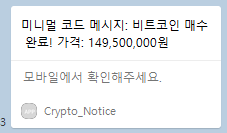
    notifier.send_message("미니멀 코드 메시지: 비트코인 매수 완료! 가격: 149,500,000원")
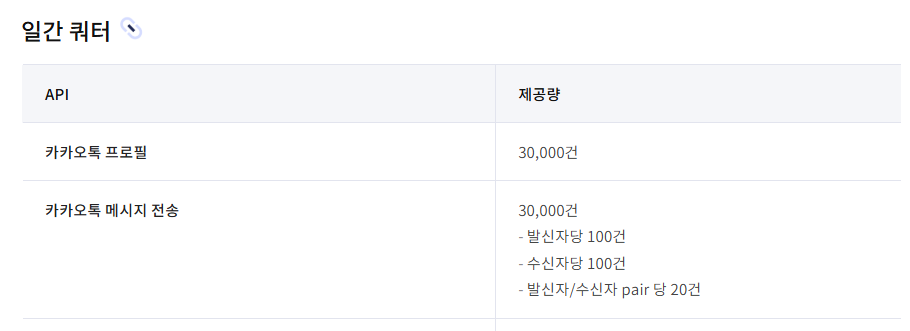
카카오톡 메시지 무료 전송의 쿼터는 다음과 같다.
'AI 에이전트 > 트레이딩' 카테고리의 다른 글
| 텔레그램 메시지 자동 전송 시스템 만들기 (0) | 2025.07.25 |
|---|---|
| 허깅페이스 트랜스포머를 이용한 뉴스 감성 분석 (0) | 2025.07.09 |
| 기술적 지표: 스토캐스틱 (Stochastic) (0) | 2025.07.07 |
| 기술적 지표: 이동평균 수렴확산 (MACD) (0) | 2025.07.06 |
| 기술적 지표: 상대강도지수 (RSI, Relative Strength Index) (0) | 2025.07.04 |


댓글